 For iPhone and iPad · iOS 18 or later · Version 1.0
Your receiver,
in the palm of your hand.
Enigma 2 i is the iPhone and iPad companion of Enigma2MR. Swipe through the channels of your own Enigma2 receiver like a video feed, pause and rewind, search the guide, record – and pick up what your Apple TV was just playing.
Made for your thumb.
Your Enigma2 box stays the tuner and the recorder. Enigma2 i turns your iPhone and iPad into a fast screen and remote for it – anywhere in your home.
Swipe to zap
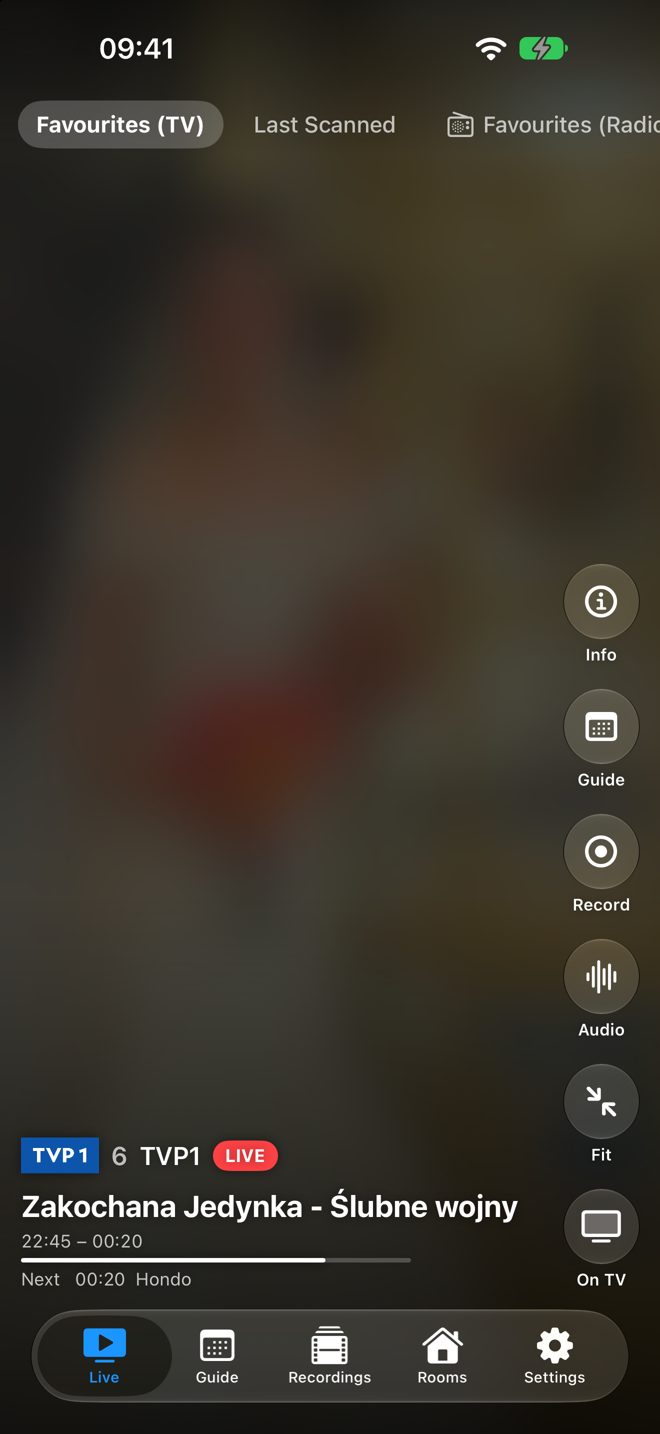
Every channel of your bouquet is a full-screen page. Swipe up for the next one, down for the previous one – the picture starts as soon as you stop.
Pause and rewind
Tap to pause. The channel is buffered on your iPhone, so you can rewind, catch up and jump back to live.
Fit or fill
Double-tap to switch between the whole picture and a screen-filling view. Turn the phone for full screen.
Foldable iPhone
Closed, the cover screen shows the middle of the picture, edge to edge. Unfold it and you get the full frame on the big screen.
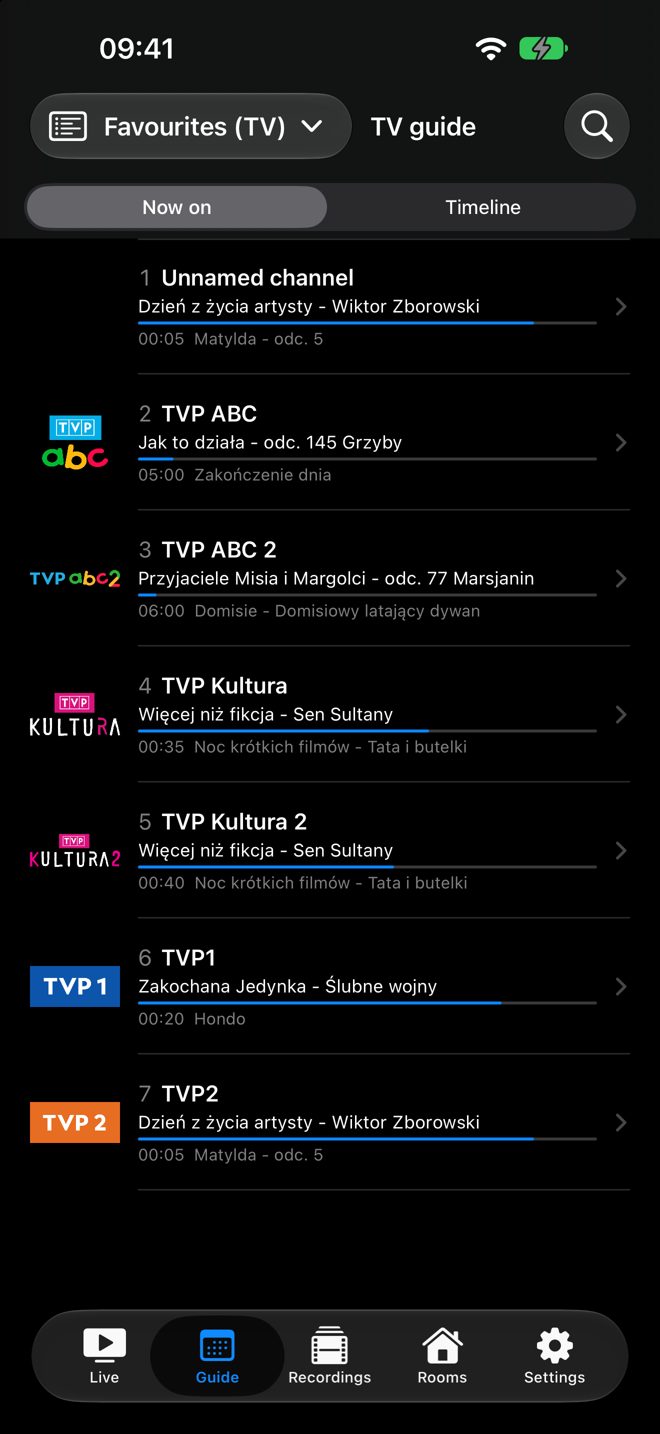
TV guide
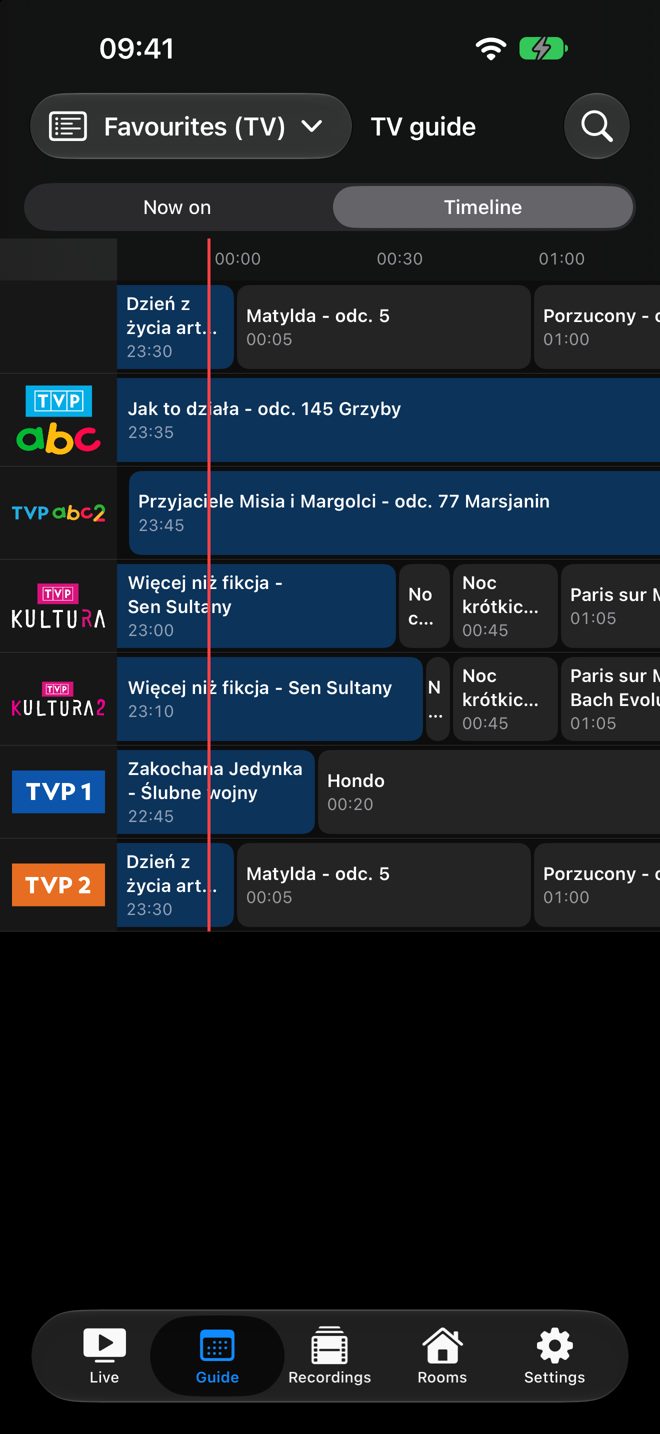
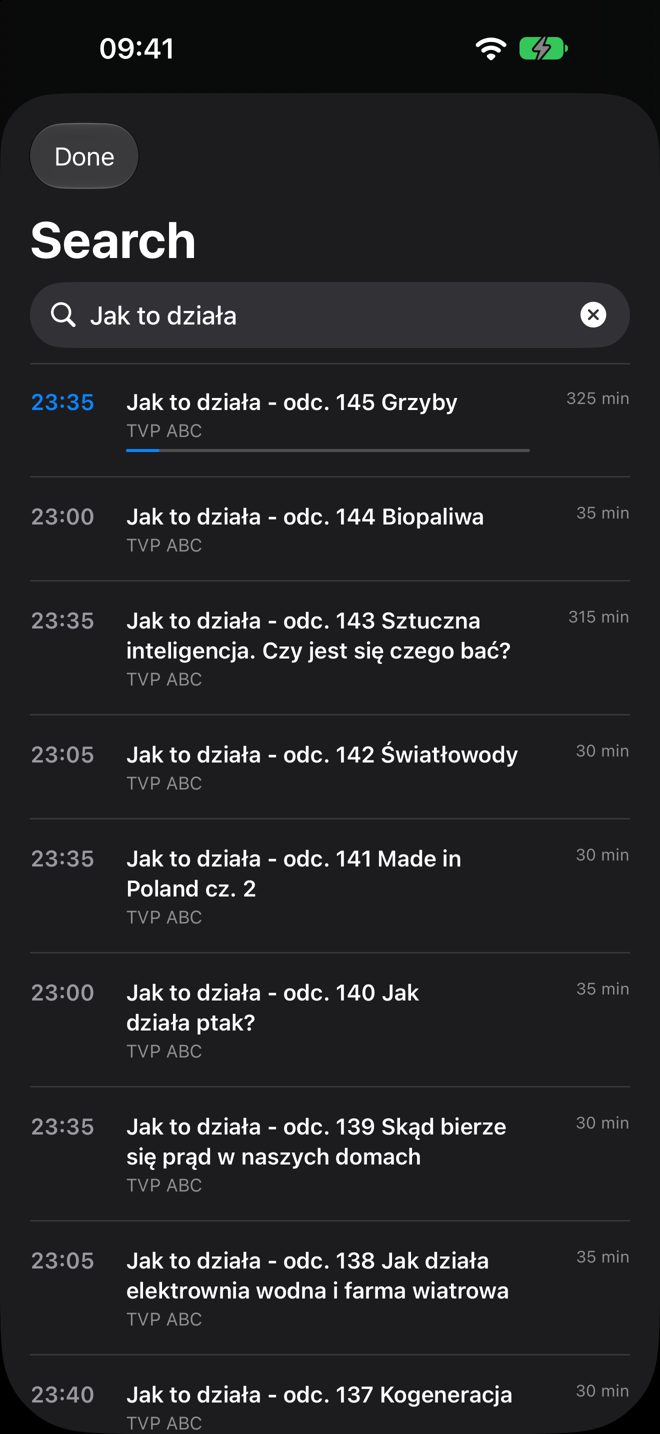
What is on now on every channel, or a timeline of the next hours. Programme details, the channel's schedule and search over all channels.
Record
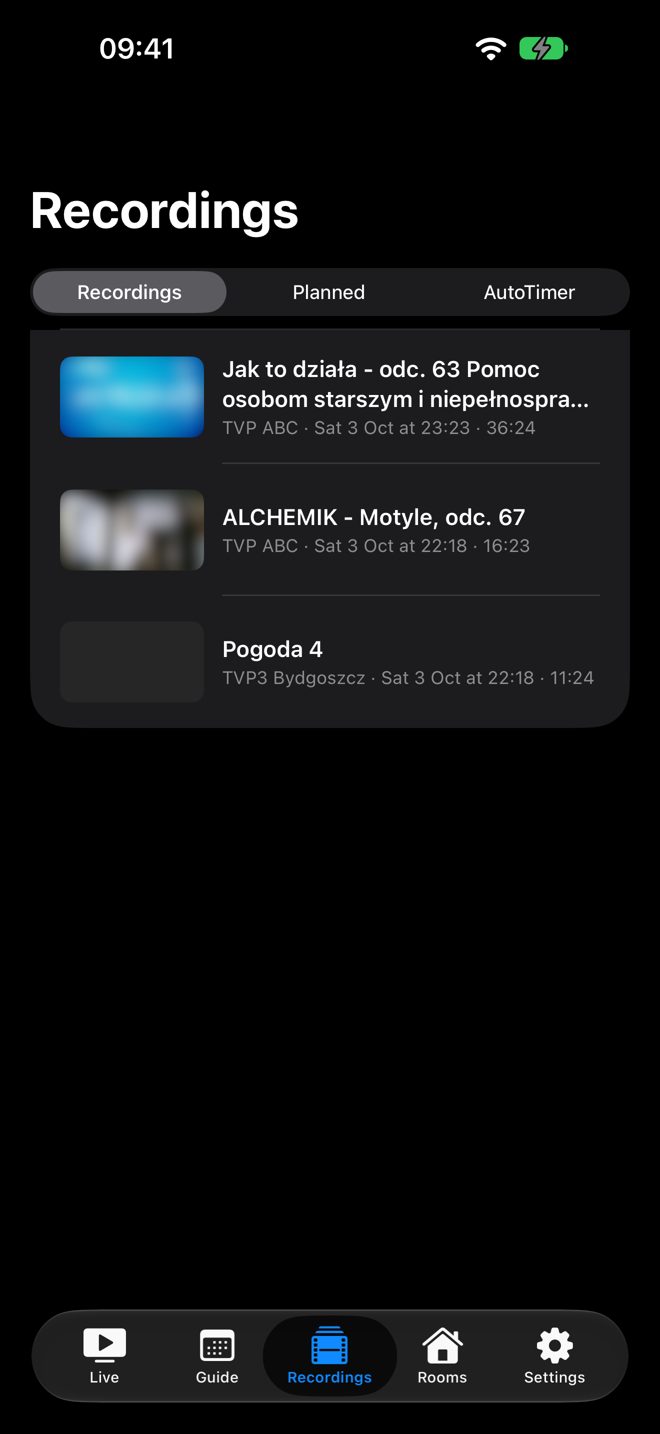
Press and hold the picture to record the programme, the next 30 minutes to 2 hours, or every episode (AutoTimer). Recordings are grouped by series and folder.
Continue where you left off
Recordings resume at the same position on iPhone, iPad and Apple TV. Pick up the channel the living room is watching – or hand it back.
Reminders
“Remind me” on a programme sends a notification before it starts. One tap opens the channel.
iPad split view
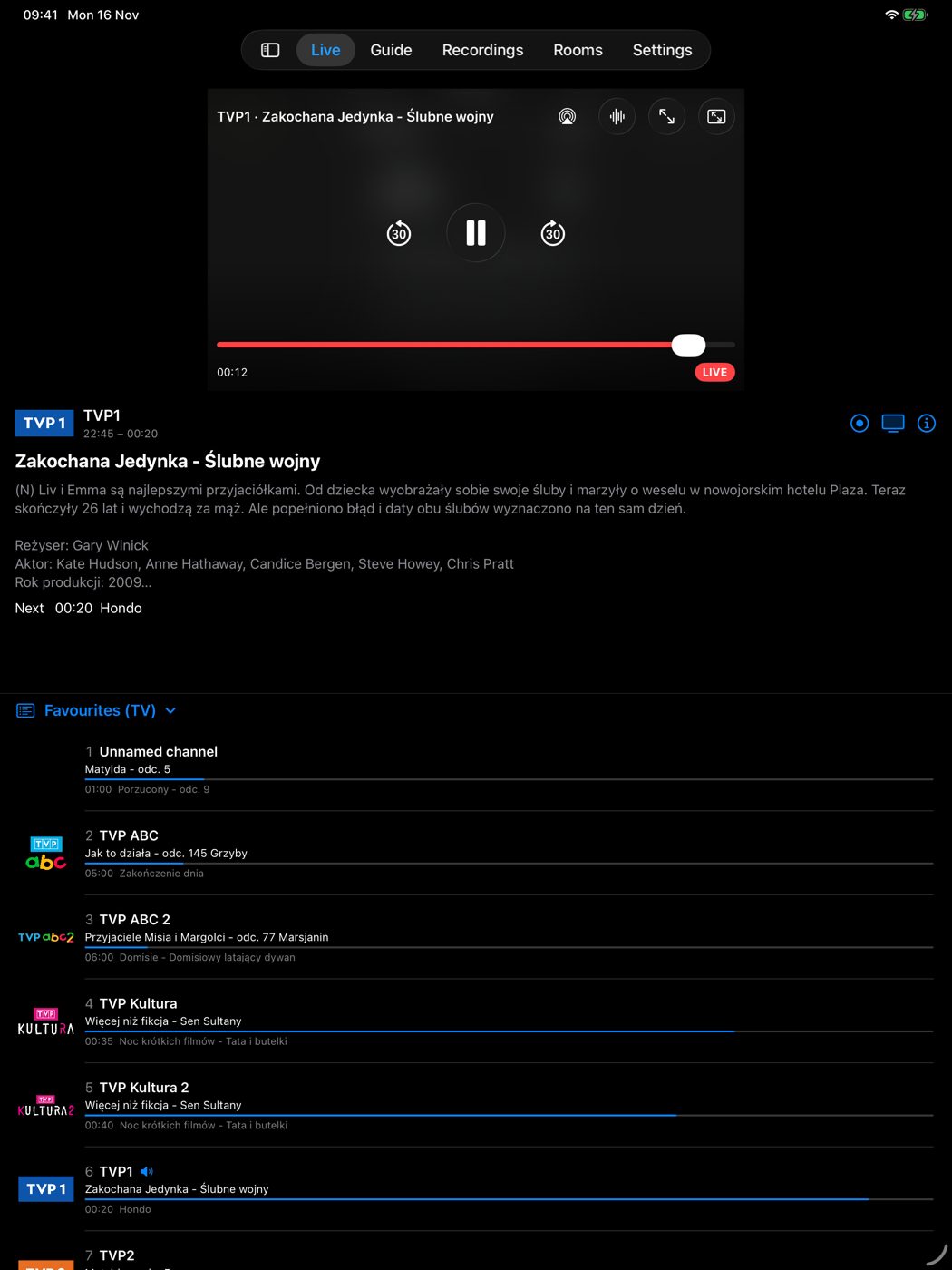
On iPad the picture, the programme and the channel list sit side by side, with the guide and recordings in the sidebar.
Watch on TV
Found something? “On TV” switches the receiver's own output to that channel – the TV in the room follows.
Sound in the background
Lock the phone and keep listening – news, radio or a match. Lock screen controls, AirPlay with automatic lip sync.
Private by design
Enigma 2 i talks directly to your receiver on your local network. No account, no server of ours in between, no tracking.
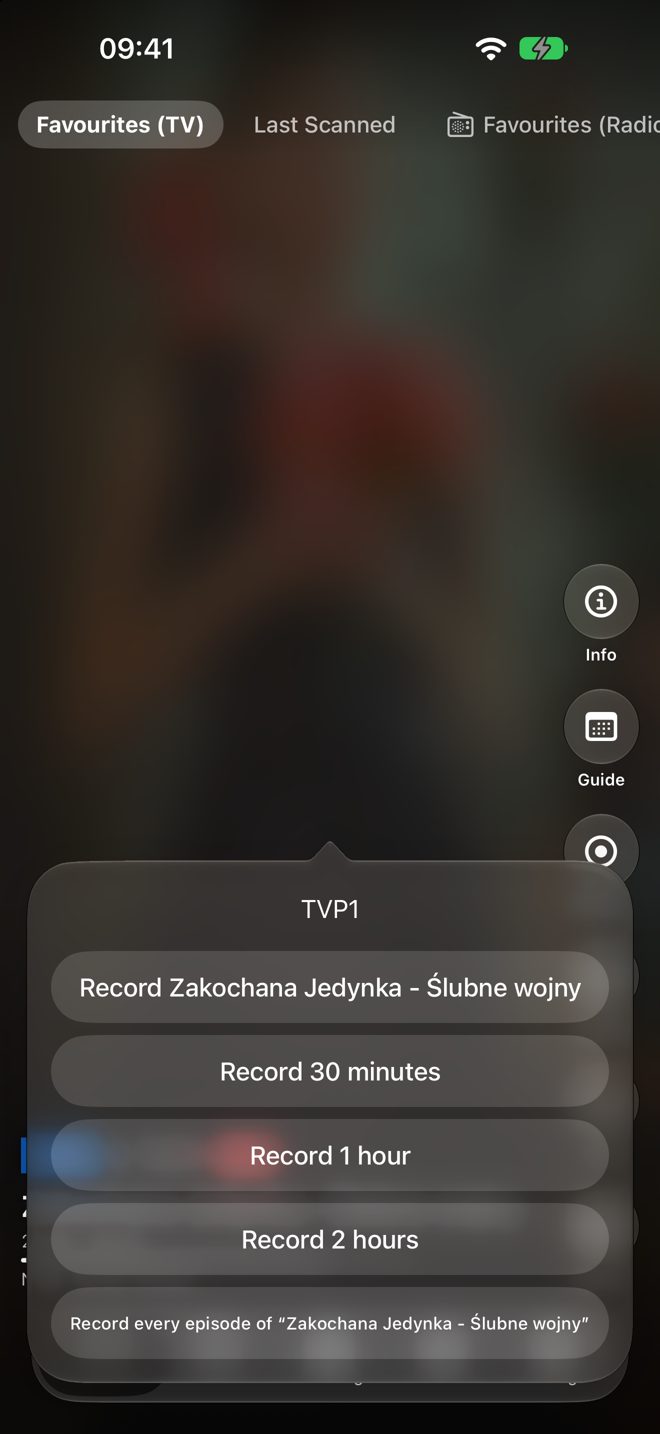
Record with a long press.
Hold your finger on the picture and your receiver records – what is on now, a fixed time or every episode of a series.
- The programme on air, or the next 30 minutes, 1 hour or 2 hours
- Every episode with an AutoTimer rule on the receiver
- A REC badge while a channel is recording; stop it from the same menu
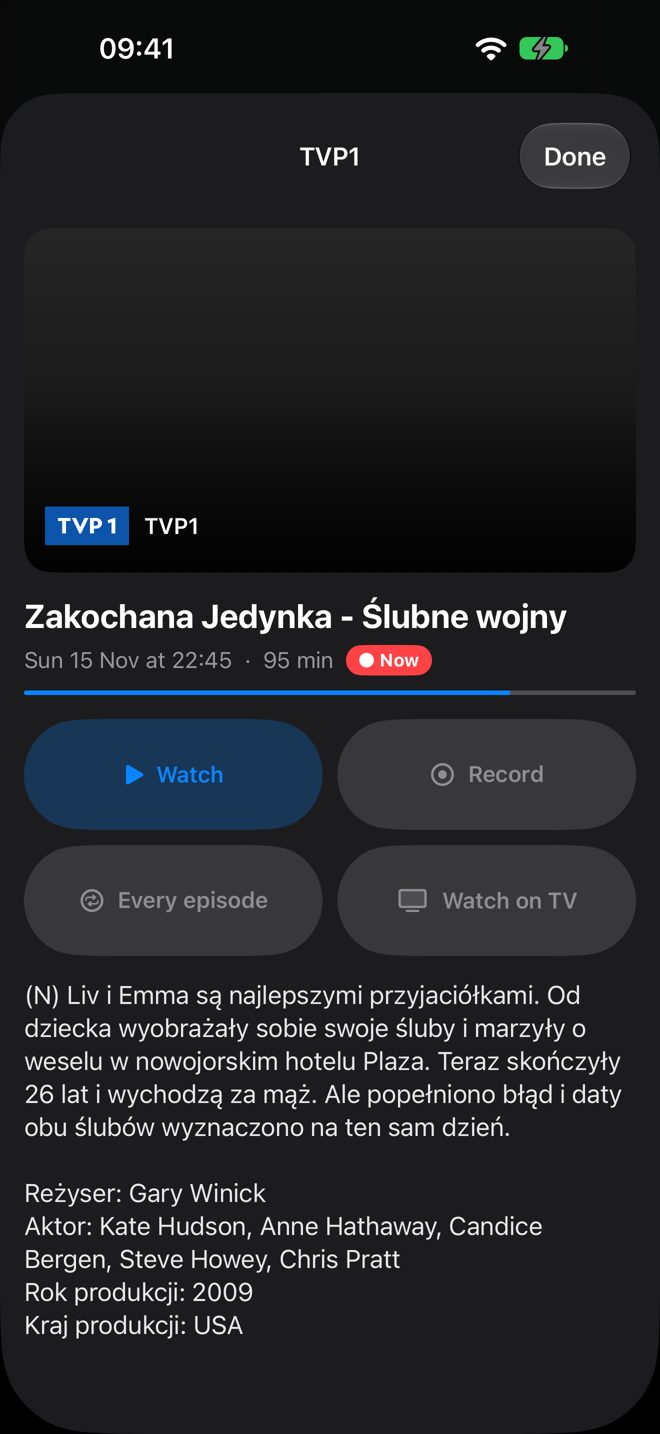
Everything about a programme.
Description, cast and artwork from the guide – and every action in one place.
- Watch, record, record every episode or set a reminder
- Watch on TV: switch the receiver's output
- Other broadcasts of the same programme
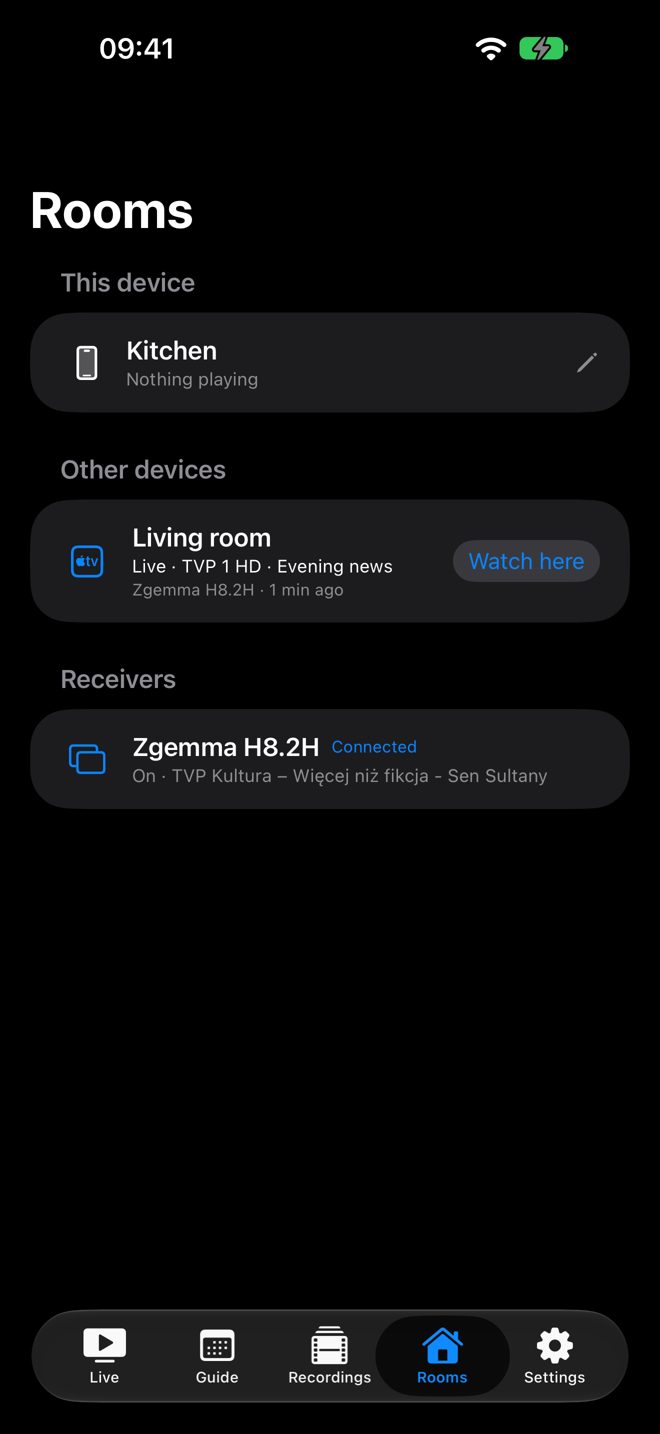
One home, every screen.
On the same iCloud account, Enigma 2 i and Enigma2MR on your Apple TVs see each other.
- What each Apple TV is playing, and the status of each receiver
- “Watch here”: continue the living room's channel or recording on your iPhone
- Handoff between your iPhone and iPad
Requirements
- iPhone or iPad with iOS 18 or later (the Liquid Glass design requires iOS 26)
- A receiver running Enigma2 with OpenWebif – included in OpenATV, OpenPLi, OpenViX, OpenBH and most other images
- iPhone or iPad and the receiver on the same local network
- Reception or a subscription for the channels you want to watch
- For Rooms and continuing between devices: devices signed in to the same iCloud account
Sold separately
Enigma 2 i (iPhone and iPad) and Enigma2MR (Apple TV) are two apps, each a one-time purchase. They work on their own and together.
Tested with a Zgemma H8.2H with OpenATV 7.2 and OpenWebif 2.0.6.
Screenshots
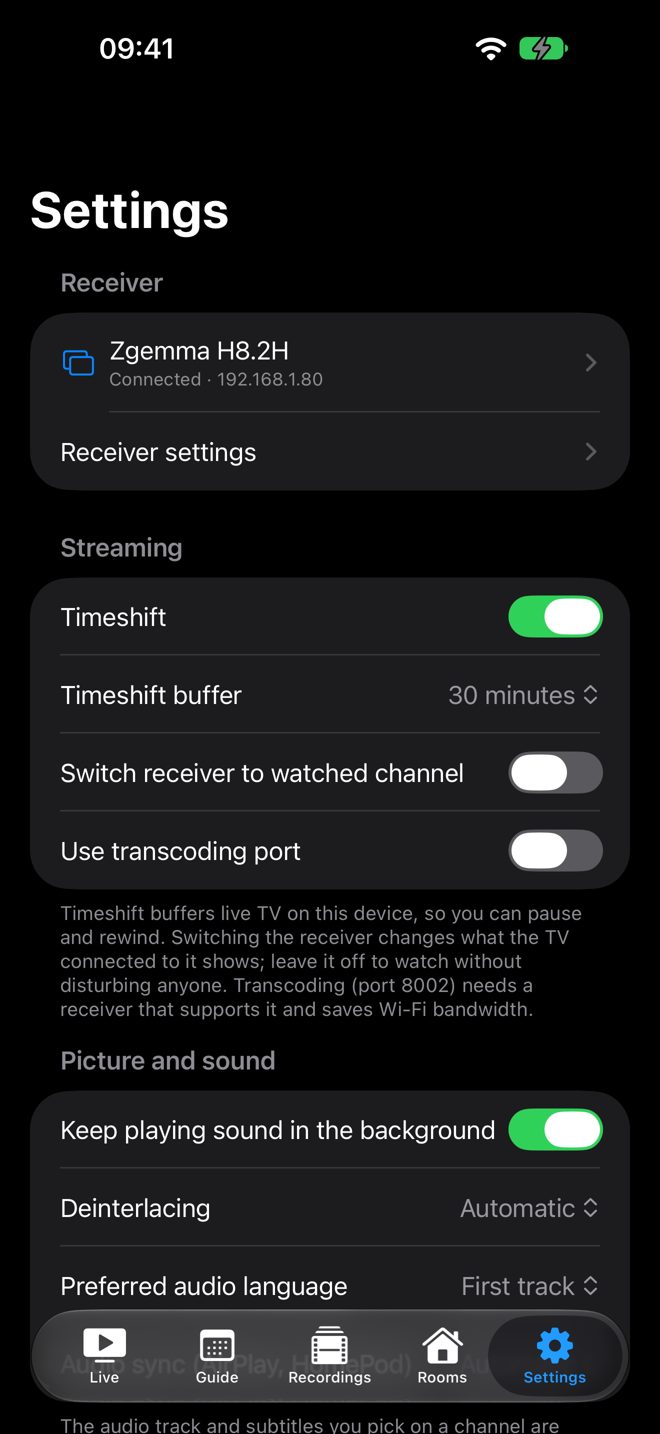
The picture and programme artwork are blurred in these screenshots – in the app you see your receiver's channels.
Frequently asked questions
Do I need Enigma2MR for Apple TV?
No. Enigma 2 i works on its own with your receiver. If you also use Enigma2MR on Apple TV with the same iCloud account, the apps see each other: Rooms, continuing in another room and shared playback positions.
Does Enigma 2 i include TV channels?
No. It shows what your own receiver receives – free-to-air channels or channels from your subscription. It does not provide or sell any TV content.
Can I watch when I'm away from home?
Enigma 2 i is designed for your home network: the iPhone or iPad and the receiver must be on the same local network.
Does browsing on my phone change the channel on the TV?
No. Your phone gets its own stream. Only “On TV” switches the receiver's output – or turn on Switch receiver to watched channel in Settings if you want that always.
How many devices can watch at the same time?
Each stream needs a free tuner on the receiver. Receivers with two tuners or an FBC tuner can feed several devices at once, provided the channels can be received together.
What happens on a foldable iPhone?
On the closed phone the cover screen shows the middle of the picture, filling the screen. When you unfold it, the inner screen shows the full frame. A double-tap overrides this until you fold or unfold again.
Is there picture-in-picture?
Not in version 1.0. Sound keeps playing in the background when you lock the phone or switch apps (Settings → Picture and sound).
Which languages does Enigma 2 i support?
English, Polish and German, following the language of your device. Programme titles and descriptions come from your receiver's TV guide.
Why does Enigma 2 i ask for Local Network access?
To find your receiver and talk to it. Enigma 2 i connects only to devices on your own network (plus HTTPS requests for artwork and logos). Read the privacy policy.